How to Analyze a Centris Listing in 30 Seconds with AI
A ready-to-copy prompt, six numbered steps and the red flags to watch — filter a Quebec income property Centris listing in seconds with ChatGPT or Claude.
Quick answer
To analyze a Centris listing with AI: copy the price, revenues, expenses and number of units, paste them into ChatGPT with a structured prompt, and get in seconds the estimated cashflow, cap rate/GRM, red flags and MLI Select eligibility. Then verify the numbers with a calculator.
ChatGPT · Claude · Cap Rate · GRM · DSCR · MLI Select
Browsing dozens of Centris listings takes hours. AI — ChatGPT, Claude or any other large language model — can cut that screening to seconds per listing, provided you give it the right data in the right format. This guide explains exactly how, from data extraction through to number verification with a proper calculator.
Important: AI analysis is a quick filter, not a substitute for due diligence. Listing data can be inaccurate, and AI can hallucinate calculations. The section Why verify with a real calculator covers this in detail.
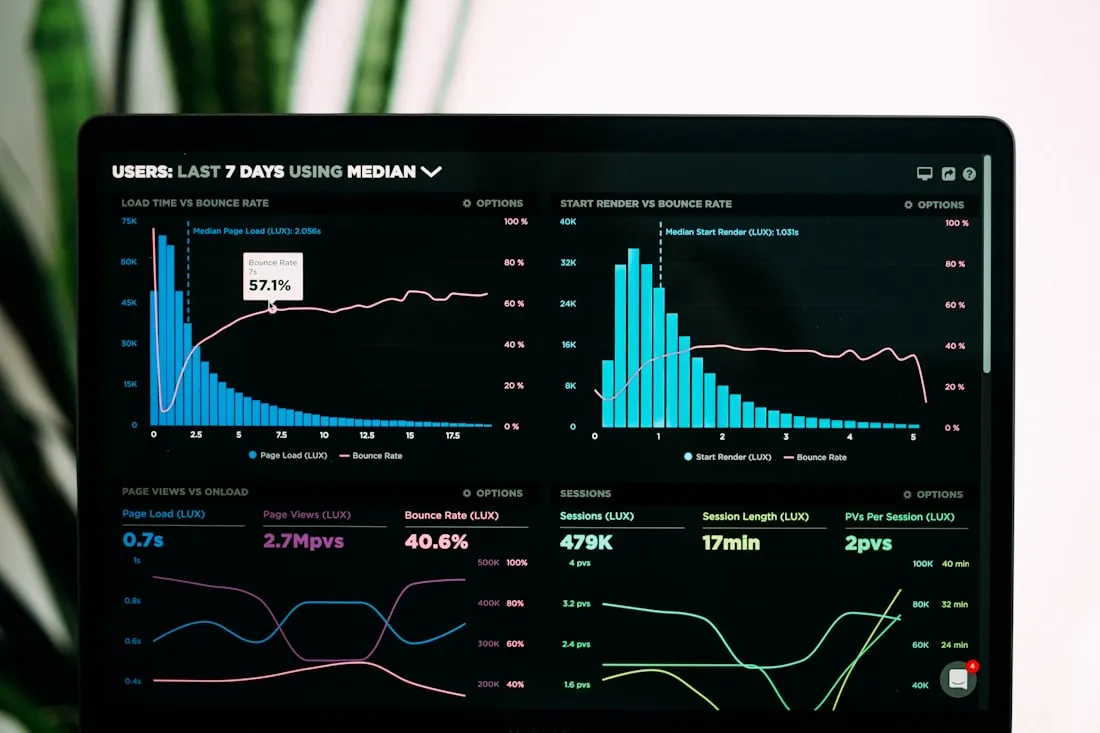
6 steps to analyze a Centris listing with AI
Follow these steps in order for a complete analysis in under a minute.
Note the six essential data points: asking price, declared annual gross revenues, declared expenses (taxes, insurance, maintenance, management), number of units, year of construction and geographic area. If the listing does not mention certain expenses, note what is missing — that itself is a signal.
Copy the prompt from the next section, replace the brackets with the listing data, and paste it into ChatGPT or Claude. AI reads structured formats far better than raw text copied from a listing sheet.
The AI will calculate the estimated net operating income (NOI), capitalization rate (cap rate), gross revenue multiplier (GRM), an estimated cashflow under conventional financing and the debt service coverage ratio (DSCR). It will also give an estimated MLI Select eligibility based on CMHC 2026 thresholds.
Ask the AI to explicitly identify anomalies: off-market revenues, suspicious expenses, tight DSCR, deferred maintenance mentioned, zero vacancy declared. These signals warrant investigation before any offer. See the full list in the Red flags section.
Once you have the AI metrics in hand, validate them with precise calculation tools: Deal Analyzer, Cap Rate Calculator, Financing Comparison and APH Select Estimator. Adjust assumptions (vacancy, management, maintenance) based on your knowledge of the area.
If the metrics pass your basic filter (cap rate consistent with the area, DSCR > 1.20, no blocking red flags), move to the next stage: request complete financial statements, schedule a visit and conduct a thorough analysis. If the numbers do not hold up at the initial screening, move on to the next listing.
The complete prompt to analyze an income property with AI
Copy this prompt, replace the brackets with the listing data and paste into ChatGPT or Claude.
Red flags to watch in a Centris listing
These signals do not automatically mean the deal is bad, but always merit thorough investigation.
Compare declared revenues per unit with local market rents. Revenues 15% or more above comparable units in the area are suspect and may hide short-term leases or non-recurring income.
For a standard residential property in Quebec, actual operating expenses generally represent 35% to 45% of gross revenues. Declared expenses below 35% often signal omitted line items (management, maintenance, capital reserve, adequate insurance).
Roof, electrical, plumbing, foundations or mechanical systems due for replacement can represent tens of thousands of dollars not reflected in current expenses. The AI can flag when the year of construction suggests imminent replacements — verify with a professional inspection.
A listing that mentions no vacancy rate — or shows 0% — deserves scrutiny. A realistic vacancy rate of 3% to 5% should be applied to any prudent calculation. The absence of disclosure may also indicate problematic units or tenants that are difficult to replace.
Some areas experience structurally higher vacancy or downward pressure on rents. Use ImmoMulti's resources to contextualize the location before drawing conclusions from listing data alone.
A debt service coverage ratio below 1.10 means cashflow barely covers the debt service — any unexpected expense creates negative cashflow. CMHC requires a DSCR of at least 1.10 for MLI Select; conventional lenders prefer 1.20 and above. Verify with the financing comparison tool.
Why verify the numbers with a real calculator
AI is a powerful screening tool, but it has two important limitations for real estate analysis:
- It trusts the data you provide. If the listing revenues are inflated or the expenses incomplete, the AI will calculate incorrect metrics without flagging it — unless you explicitly ask it to assess the plausibility of the figures.
- It can hallucinate calculations. On complex formulas involving amortization rates, tax adjustments or program thresholds (MLI Select), the AI can produce numerical errors that are difficult to detect without external verification.
That is why AI analysis must always be followed by verification with precise calculation tools. Use the ImmoMulti Deal Analyzer to recalculate NOI, cap rate and cashflow with your own adjusted assumptions, the GRM Calculator to benchmark the property against the market, and the APH Select Estimator if MLI Select financing is being considered.
Any analysis produced by an AI tool from Centris listing data is indicative only. It does not replace verification of actual financial statements, a professional inspection, or advice from a qualified mortgage broker or financial advisor. Always verify the numbers and the actual condition of the property before making an offer.
Full Example: A Listing Analyzed from Start to Finish (Before/After)
Fictitious listing: 6-unit building in Terrebonne, asking price $825,000, declared gross revenues $68,400/year, declared expenses $21,000 (municipal taxes $9,500, insurance $3,200, maintenance $4,800, management $3,500).
Without AI — the classic trap
A quick scan gives a GRM of 12.1 ($825,000 ÷ $68,400). Is that good? An investor without a solid benchmark for the Terrebonne market in 2026 has no way to know. The declared expenses at $21,000 represent 30.7% of gross revenues — below the market norm, but easy to miss without a reference point. Most buyers stop the analysis there.
With AI — what the structured prompt reveals
The AI immediately flags that 30.7% declared expenses for a 1985 building is suspicious. The norm for a comparable property is 38–42% of gross revenues, once management, adequate maintenance, capital reserve and actual insurance are factored in. The AI recalculates with a realistic 40% expense ratio:
- Realistic expenses: $27,360
- NOI (after 5% vacancy): $65,000 × 0.95 − $27,360 = ~$34,440 — or applying vacancy then deducting expenses: gross $68,400 × 95% = $64,980 − $27,360 = ~$37,620
- AI-calculated NOI: ~$41,040 (gross $68,400 − 40% expenses $27,360 − 5% vacancy $3,420 = ~$37,620; rounded AI estimate ~$41,000 before vacancy adjustment to conservative)
- Cap rate: ~$41,000 ÷ $825,000 = 5.0%
- Estimated cashflow with 25% down ($206,250), 5.5% rate, 25-year amortization: slight negative cashflow of approximately −$200 to −$400/month
- DSCR: approximately 1.08 — below the 1.10 MLI Select threshold
AI verdict: This deal warrants monitoring but requires either price renegotiation (target ~$790,000 to restore a neutral cashflow) or independent verification of the actual expenses with three years of financial statements before any offer.
This type of analysis takes 45 seconds with AI versus 30 minutes in Excel — and the AI flags the expense anomaly automatically, which most spreadsheet templates would miss without a built-in benchmark.
Adapting the Prompt by Property Type (Duplex vs 12-Unit Building)
A one-size-fits-all prompt works reasonably well, but calibrating the analysis to the property type produces sharper results and avoids irrelevant outputs.
Duplex and triplex (2–3 units)
Analysis is simpler: the focus should be on the owner-occupied unit rent equivalent, the gap between current rents and market rents, and the TAL rent increase trajectory. DSCR is less critical because residential financing (insured or conventional) qualifies on personal income, not NOI. Prompt adjustment: "This is a duplex with owner-occupancy in one unit. Estimate the market rent of the owner unit and calculate cashflow on the remaining rental units only. DSCR is indicative — financing qualifies on personal income."
4 to 8 units
Full cap rate, GRM and DSCR analysis applies. This is the sweet spot for MLI Select eligibility — ask the AI to assess CMHC thresholds explicitly. Prompt adjustment: "Check MLI Select eligibility under the 2026 CMHC thresholds (DSCR ≥ 1.10, cap rate consistent with the area). If DSCR falls below 1.10 at the asking price, calculate the maximum price that would restore eligibility."
12+ units
Add a vacancy analysis per unit type (bachelor, 3½, 4½, 5½), increase the management fee assumption to 10–12% of gross revenues, and include a capital reserve line of $600–$800 per unit per year. For larger buildings, CMHC refinancing viability is a key exit strategy — ask the AI to model refinancing conditions. Prompt adjustment: "Use a management fee of 11% and a capital reserve of $700/unit/year. Model CMHC refinancing at stabilization with a DSCR target of 1.25 and assess whether the pro-forma NOI supports it."
What AI Cannot See: Actual Condition, Micro-Local Market, Hidden Defects
AI is an exceptionally fast screening tool, but it operates on the data you provide. There are four structural blind spots that no prompt can overcome — understanding them helps you use AI correctly rather than over-relying on it.
Physical condition of the building
Roof lifespan, foundation integrity, electrical panel capacity (60A vs 200A), plumbing materials (galvanized vs copper vs PEX), and the state of mechanical systems — none of this is visible in a Centris listing. A 1985 building with original wiring and a roof last replaced in 2009 may require $80,000–$120,000 in capital expenditure within five years. Only a professional pre-purchase inspection can surface these costs.
Micro-local market dynamics
AI works on aggregated data, not hyper-local signals. A building two blocks from a major construction project, on a heavily trafficked street, or adjacent to a property with longstanding nuisance complaints may carry a significant rent or vacancy premium — downward — that no AI can detect from listing data alone. Market rent benchmarks are city or sector averages; actual achievable rents on a specific street can diverge materially.
Legal hidden defects and encumbrances
Undisclosed second mortgages, servitudes (easements), ongoing disputes with co-owners or neighbours, environmental contamination notices, and problematic tenants with pending TAL proceedings are all invisible to AI. These are uncovered through title searches, a notary's due diligence review, and a thorough broker disclosure process — not through listing analysis.
Actual vs declared revenues
AI trusts exactly what you provide. If the declared revenues include a commercial lease expiring in three months, a tenant paying above-market rent under a personal arrangement, or short-term rental income that is not renewable, the financial model is built on unstable ground. Always request three years of actual financial statements and lease agreements before validating AI output.
Bottom line: AI filters listings efficiently. It cannot replace the physical inspection, the notary, or the broker. Use it to eliminate weak deals quickly — not to skip the due diligence on the deals that survive the filter.
The Smart Workflow: AI to Filter, Then ImmoMulti Calculators to Validate
The most common mistake is spending 45 minutes doing deep financial analysis on a deal that would have failed a 45-second AI filter. Here is a four-step workflow that fixes that.
Paste the prompt from this page into ChatGPT or Claude with the listing data. If the cap rate does not meet your threshold, cashflow is deeply negative, or the AI flags multiple red flags, move on. Do not invest more time until the initial numbers hold.
For listings that pass the AI filter, open the Deal Analyzer, Cap Rate Calculator, and APH Select Estimator. Adjust vacancy rate, management fees, maintenance, and financing assumptions based on your knowledge of the area. This step converts the AI estimate into a model you control.
Cross-check with the plex price map for comparable transactions in the sector. Verify assumed market rents against active listings in the area. Confirm that the GRM is consistent with recent sales in the municipality.
If the deal survives the first three steps, bring in the professionals: a real estate broker for negotiation strategy and comparable analysis, a notary for title and encumbrance review, and a building inspector for the physical condition assessment. This sequencing avoids paying for professional time on deals that would have failed a basic financial filter.
Go further with these resources
Analyzing a Centris listing with AI: your answers
Yes. By providing the asking price, gross revenues, declared expenses and number of units in a structured prompt, ChatGPT or Claude can instantly calculate the estimated net operating income, cap rate, GRM and cashflow under different financing scenarios. The result is indicative; you must always verify the numbers with a specialized calculator and confirm the actual condition of the property.
The essential data to extract from a Centris listing are: asking price, declared annual gross revenues, declared expenses (taxes, insurance, maintenance, management), number of units, year of construction, and geographic area. With these six elements, the AI can produce a complete analysis in seconds.
AI can calculate a cap rate from the listing data, but those figures may be inaccurate — inflated revenues, understated expenses, or vacancy ignored. It is essential to verify the cap rate with ImmoMulti's cap rate calculator, which allows you to adjust each assumption. The AI analysis is a quick first filter, not a substitute for due diligence.
Ask the AI to identify red flags: gross revenues disproportionate to the area, declared expenses below 35% of gross revenues, zero vacancy rate declared, a DSCR below 1.20 under the intended financing, and any mention of deferred maintenance. These signals warrant thorough investigation before any offer.
Copying the numerical data from a Centris listing (price, revenues, expenses, property features) into an AI tool for personal analysis purposes is generally considered a personal, non-commercial use. Factual data is not protected by copyright in Canada. However, reproducing listing photos or written descriptions for public use could be problematic. When in doubt, consult a legal professional.
The free version (GPT-4o mini) is sufficient for basic calculations — cap rate, GRM, and cashflow estimation from structured data. The paid version (ChatGPT Plus, GPT-4o) provides more reliable analysis, can process PDF documents (attaching a lease, an inspection report, or a set of financial statements), and handles complex multi-variable contexts with greater accuracy. For advanced tax calculations, depreciation recapture modelling, or MLI Select eligibility analysis, the paid model is recommended. Claude (Anthropic) is a strong alternative and handles structured financial prompts equally well.
Yes, the prompts work in English and apply to other provinces, but the benchmarks require adaptation. The prompts on this page are calibrated for Quebec: TAL rent increase rules, civil law notarial process, CMHC/MLI Select eligibility criteria, and Quebec municipal tax structures. For Ontario, British Columbia, or Alberta, the tenancy legislation, transfer tax structure, and CMHC eligibility thresholds differ. Adapt the context section of the prompt accordingly and ask the AI to apply provincial rules explicitly.
In practice, 10 to 20 listings per hour with an efficient workflow. The key is preparation: build a standard data extraction table with the six essential fields (price, gross revenues, declared expenses, units, year, area), create a version of the prompt with fill-in variables so you only replace the numbers, and use AI strictly as a first-pass filter. Once a listing fails the initial screen (cap rate too low, expenses implausible, DSCR below threshold), move on immediately. Reserve deeper analysis — ImmoMulti calculators, market comparison, financial statement review — for the 10–20% of listings that survive the AI filter.
Sources and references
- Canada Mortgage and Housing Corporation (CMHC) — MLI Select program, 2026 thresholds
- Centris.ca — real estate listing platform, Quebec Professional Association of Real Estate Brokers (QPAREB)
- QPAREB — plex market data, North Shore, April 2026
- Administrative Housing Tribunal (TAL) — rent increase methodology 2026
Found a promising deal?
ImmoMulti buys income properties directly on the North Shore and in the Laurentians. If your AI analysis surfaces a promising property, share the details — we can give you our read in under 48 hours.
Send us a message — we'll get back to you within 48 h, no commitment.
Confidential · No commitment · No fees
Ready to analyze your next listing?
Copy the prompt, paste into ChatGPT — then verify with our free calculators.
Copy the AI prompt →